
Ground Zero
Put a Mac app back the way it was when you first installed it, without deleting the app. One click deletes the data it has saved, and it starts afresh.
 $0.99 · £0.99 · Buy once, no subscription
- Start an app afresh
- Free up space
- Test a first launch
How it works
Back to the start in one click
Mac apps keep their settings, caches and saved work in folders tucked away in your Library. Ground Zero finds the ones that belong to an app and deletes them, so the next time it opens it starts from scratch.


- Find the appEvery app in your Applications folders is listed, along with the apps you've built in Xcode.
- Press ResetGround Zero checks with you before anything is deleted.
- Its data is deletedThe app's container and its Application Support folder go. The app itself stays.
- Open it againIt starts just as it did the first time, with its default settings.
What gets reset
Its data goes. The app stays.
Ground Zero finds an app's data by its bundle identifier, in your Library folder.
Deleted
- The app's container
Library/Containers/<bundle id>
Where sandboxed apps, including every Mac App Store app, keep their settings, caches and saved data. - Its Application Support folder
Library/Application Support/<bundle id>
Where many apps keep their databases and downloaded content.
Left alone
- The app itselfNo reinstalling, no downloading it again.
- Your documentsFiles you've saved in Documents, iCloud Drive or anywhere else outside these folders.
- Everything elseData the app keeps in other places, such as folders shared between apps, stays where it is.
If an app has nothing in either place, Ground Zero tells you there's nothing to remove. Quit the app before you reset it, then open it again afterwards.
When to use it
A clean slate, whenever you need one
- 01An app's playing upSettings in a muddle, or an app that won't behave? Reset it and it starts again with its defaults, without being deleted and downloaded again.
- 02Before you delete an appDragging an app to the Bin leaves its data behind. Reset it first and that space comes back too.
- 03Building your own appGround Zero lists the apps you've built in Xcode as well, so you can see your onboarding and first launch again whenever you like.
Features
Small, quick and careful
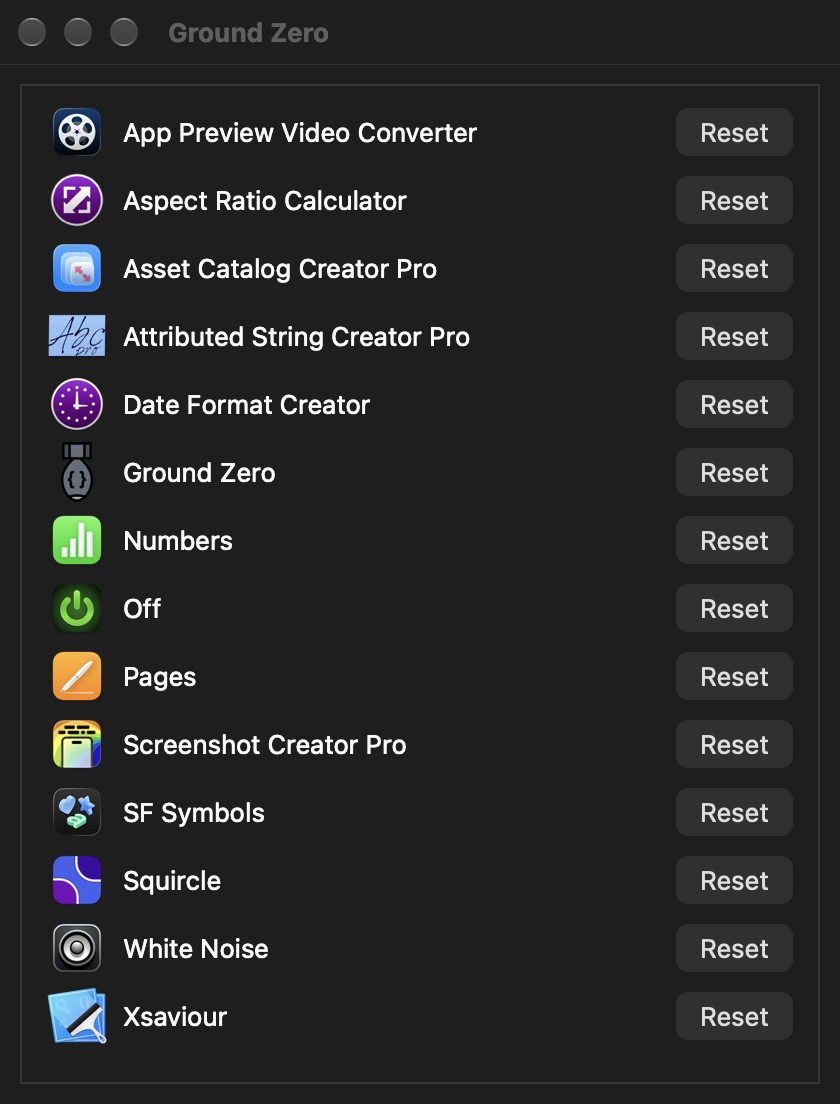
- Every app in one listThe apps in your Applications folders, with their icons, in alphabetical order.
- Apps in developmentApps you've built in Xcode are found in its Derived Data folder and listed too.
- Asks firstNothing is deleted until you say yes, and it tells you when there's nothing to remove.
- Drop an app on itDrag an app onto Ground Zero's icon in the Dock to reset it straight away.
- No reinstallingThe app stays where it is, so there's nothing to download again.
- One-time setupThe first time you open it, choose your home folder so Ground Zero can reach your apps' data.
A look inside
One window, one button per app
Light or dark, Ground Zero follows your Mac's appearance.
Dark mode 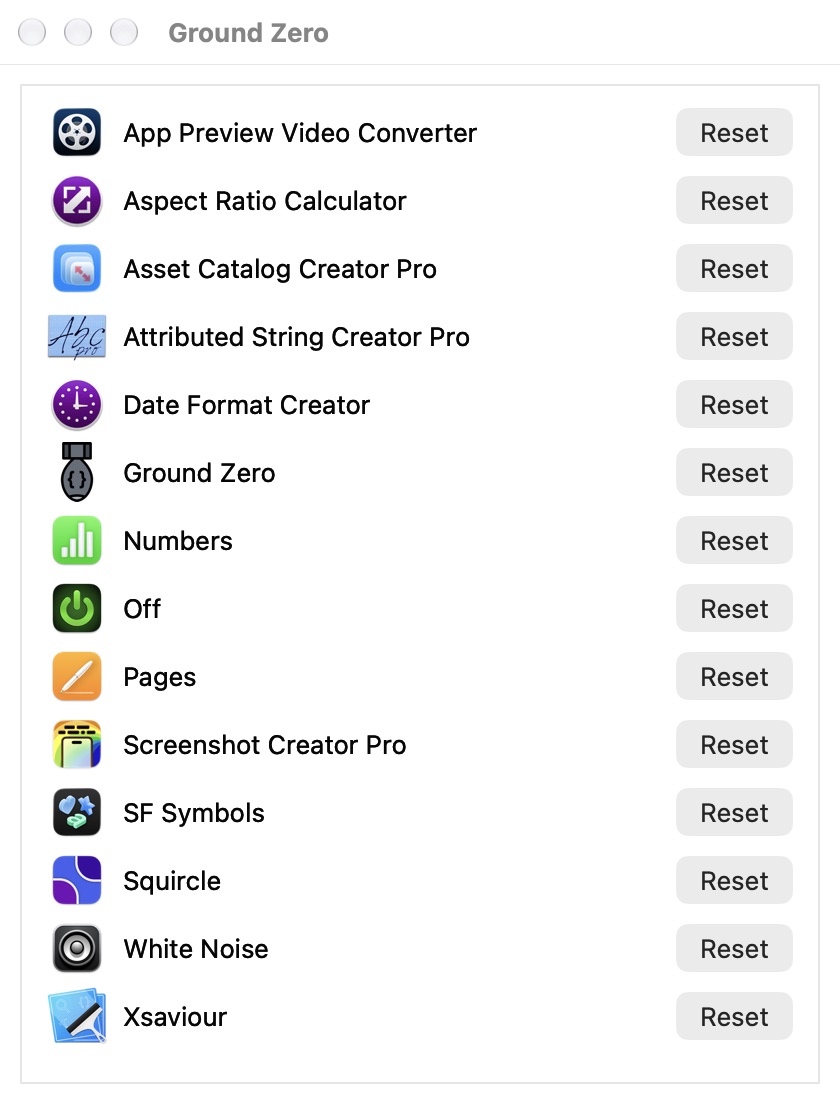
Light mode
Get it
Buy it once
Ground Zero
$0.99 · £0.99, a one-off purchase
- No subscription
- Reset as many apps as you like, as often as you like
- Free updates through the Mac App Store
 Xcode project in a tangle? Xsaviour finds and repairs problems in Xcode projects, like files that have gone missing. See Xsaviour →
Details
- Works onMacs with macOS 10.14 Mojave or later, Intel or Apple silicon
- Version1.0.1, November 2020
- Price$0.99 (£0.99), a one-off purchase
- ResetsAn app's container and Application Support folder
- Size3.7 MB
- Made byBridgeTech Solutions, in the UK