Date Format Creator
Try out a date format before it goes in your code. Type the format, pick a date and a time zone, and see exactly what DateFormatter makes of it. Then copy the Swift or Objective-C.
 $1.99 · £1.99 · Buy once, no subscription
EEEE d MMMM yyyy 'at' HH:mm→Friday 23 October 2026 at 15:30
How it works
Format in, string out
One window, top to bottom: the string, the date, the formatter, and the code. Change anything and the rest keeps up, in both directions.
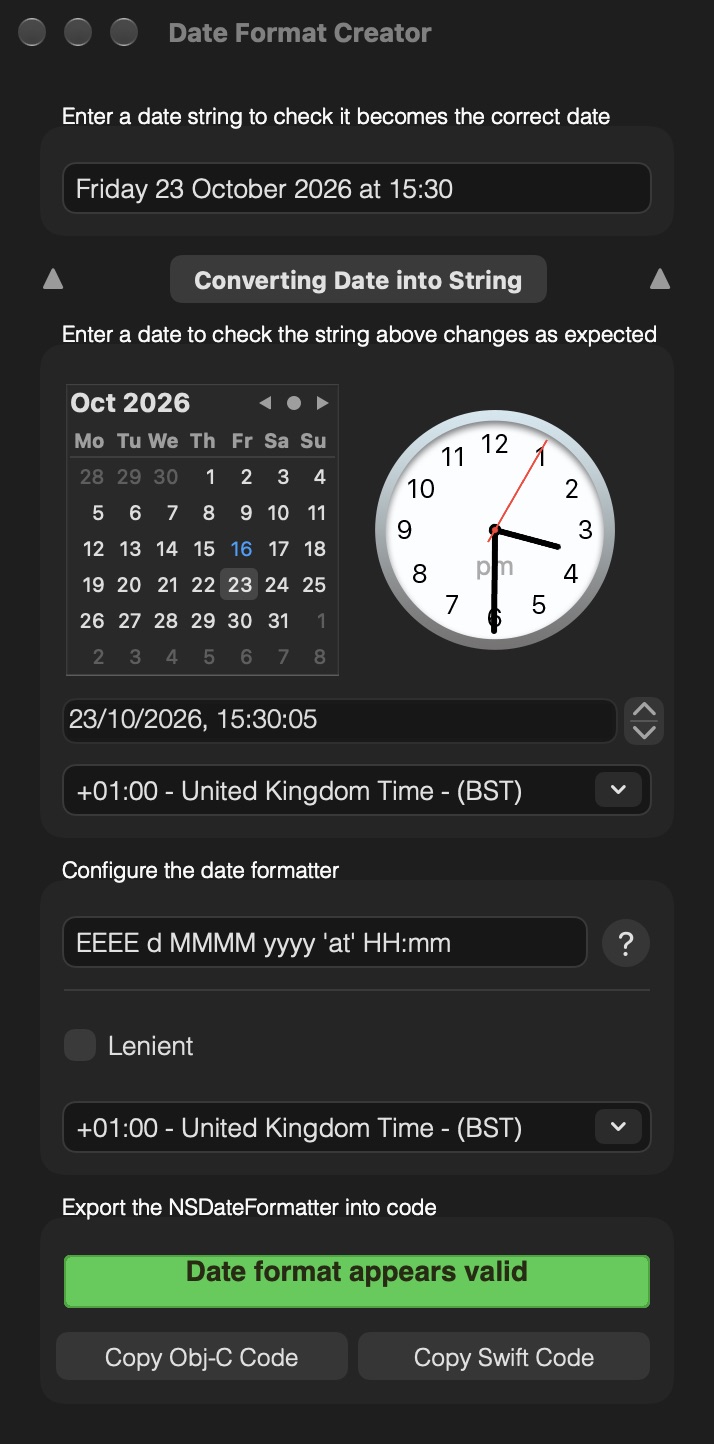
- Pick a dateClick a day in the calendar, set the clock, or type the date and time.
- Type your formatThe string above changes with every letter you type.
- Choose a time zoneFormat the same moment for London, New York or Tokyo.
- Check a date stringPaste one in. Green means it reads, red means it doesn't, and the calendar and clock show the date it read.
- Copy the codeSwift or Objective-C, with the format, leniency and time zone already set.
Why test it
One letter out
Date formats are case sensitive, and one wrong letter can pass a quick test and still go wrong later. These are all formatted for 29 December 2026 at 3:30 PM.
-
YYYY-MM-dd2027-12-29yyyy-MM-dd2026-12-29YYYYis the year of the week, not the calendar year. In the last few days of December it can already be next year. -
yyyy-MM-DD2026-12-363yyyy-MM-dd2026-12-29DDis the day of the year. Day of the month isdd. -
yyyy-mm-dd2026-30-29yyyy-MM-dd2026-12-29mmis minutes. Months areMM. -
hh:mm03:30HH:mm15:30hhis the 12-hour clock. UseHHfor 24-hour time, or addafor AM and PM.
Formats worth knowing
- yyyy-MM-dd'T'HH:mm:ssZZZZZ
- 2026-10-16T15:30:05+01:00ISO 8601, common in JSON APIs
- EEE, dd MMM yyyy HH:mm:ss zzz
- Fri, 16 Oct 2026 14:30:05 GMTHTTP dates, with the time zone set to GMT
- dd/MM/yyyy
- 16/10/2026
- MMM d, h:mm a
- Oct 16, 3:30 PM
- h:mm a zzzz
- 3:30 PM British Summer Time
- QQQ yyyy
- Q4 2026
- 'Week' w
- Week 42Text in single quotes is copied as it is
- D
- 289The day of the year
16 October 2026 at 3:30:05 PM in London. Every example on this page was made with DateFormatter and the en_US_POSIX locale, as Date Format Creator uses.
Features
Everything a formatter does, in view
- Live as you typeEvery change to the format, the date or the time zone updates the result straight away.
- Both directionsTurn a date into a string, or a string into a date. Edit the string and the calendar and clock follow.
- Green or redWhen you check a date string, the label turns green if it reads with your format and red if it doesn't.
- Time zonesSet the formatter's time zone and the date picker's separately, from a list running from Hawaii to New Zealand.
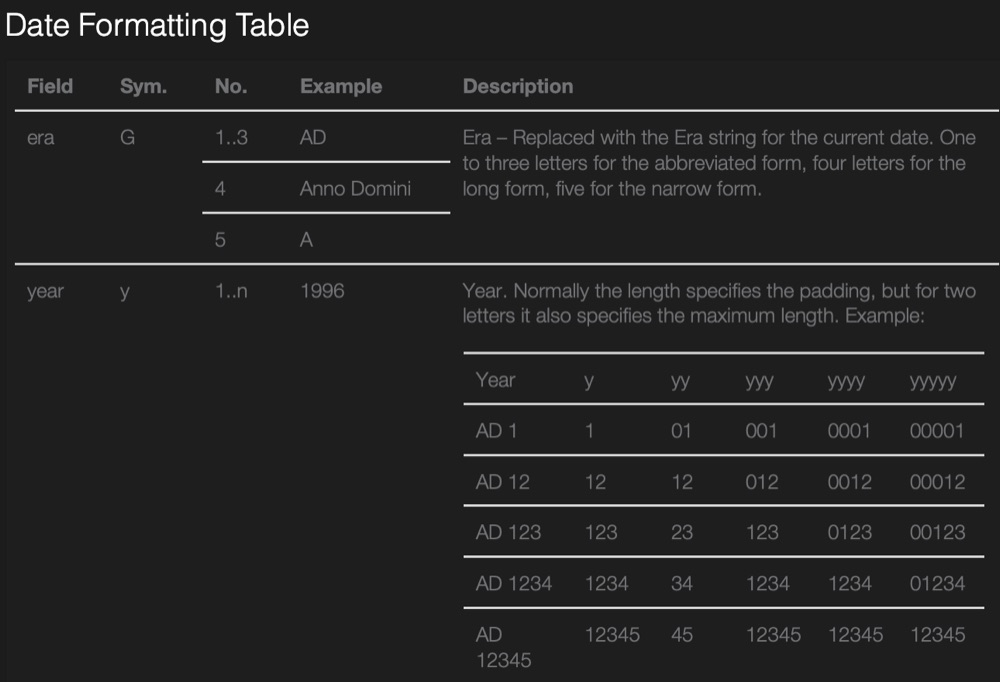
- Format referenceThe question mark opens a table of the format letters, from era to time zone, with examples.
- Swift or Objective-CCopy a ready-made DateFormatter, with the format, leniency and time zone set, to paste into Xcode.
A look inside
One window, top to bottom
Light or dark, Date Format Creator follows your Mac's appearance.
A date into a string 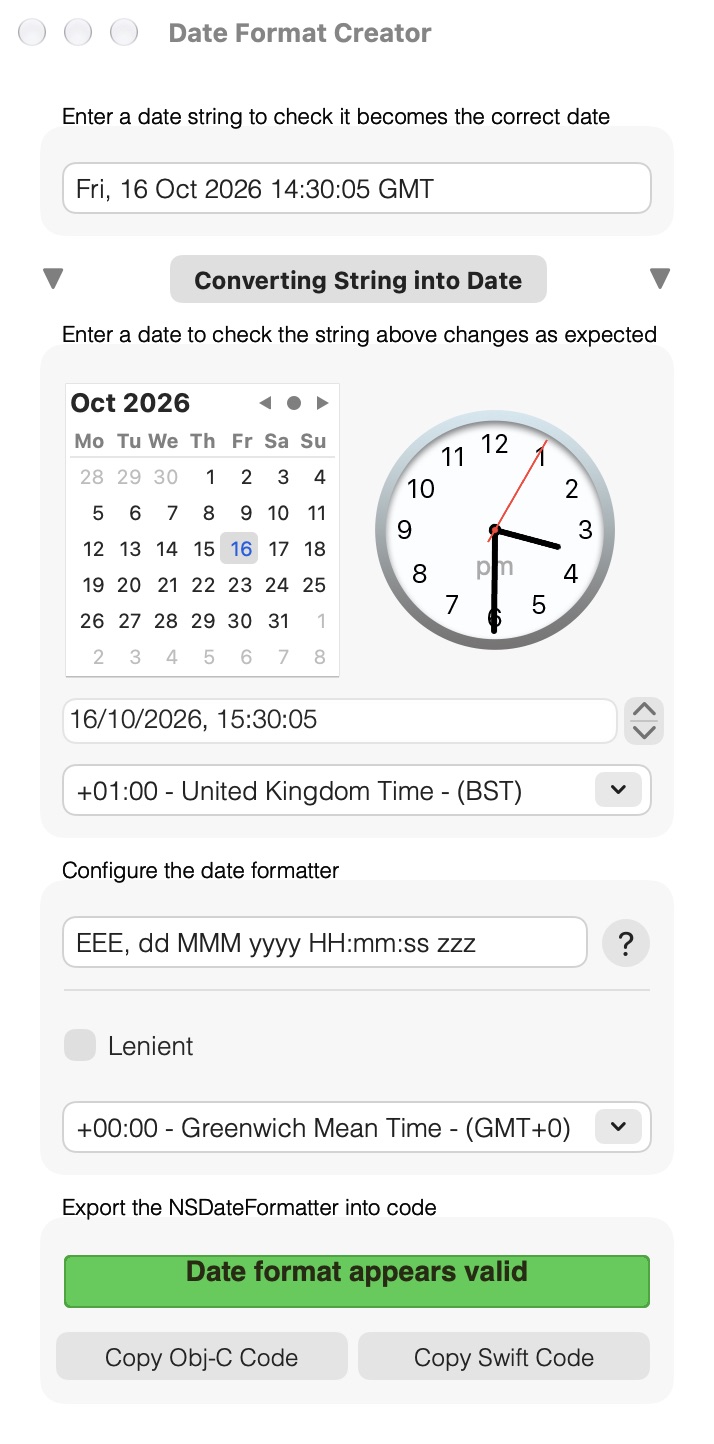
An HTTP date string into a date
Get it
Buy it once
Date Format Creator
$1.99 · £1.99, a one-off purchase
- No subscription
- For Swift and Objective-C projects
- Free updates through the Mac App Store
 Styling text in code? Attributed String Creator turns formatted text into the Swift or Objective-C for an attributed string. See Attributed String Creator →
Details
- Works onMacs with macOS 10.15 Catalina or later
- Version1.5, June 2024
- Price$1.99 (£1.99), a one-off purchase
- CodeSwift and Objective-C
- SizeAbout 2 MB
- Made byBridgeTech Solutions, in the UK